Content, Users, and Context of Use
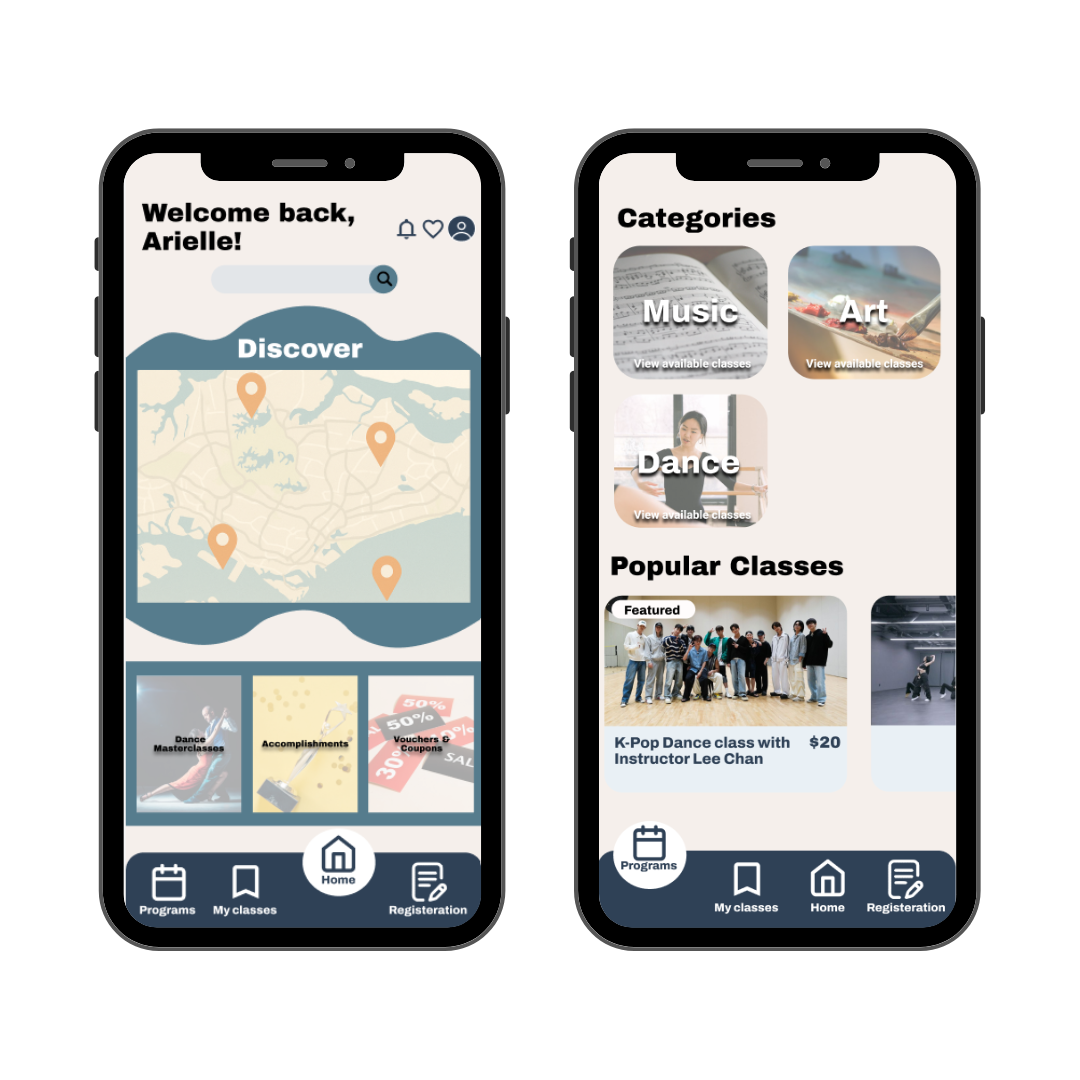
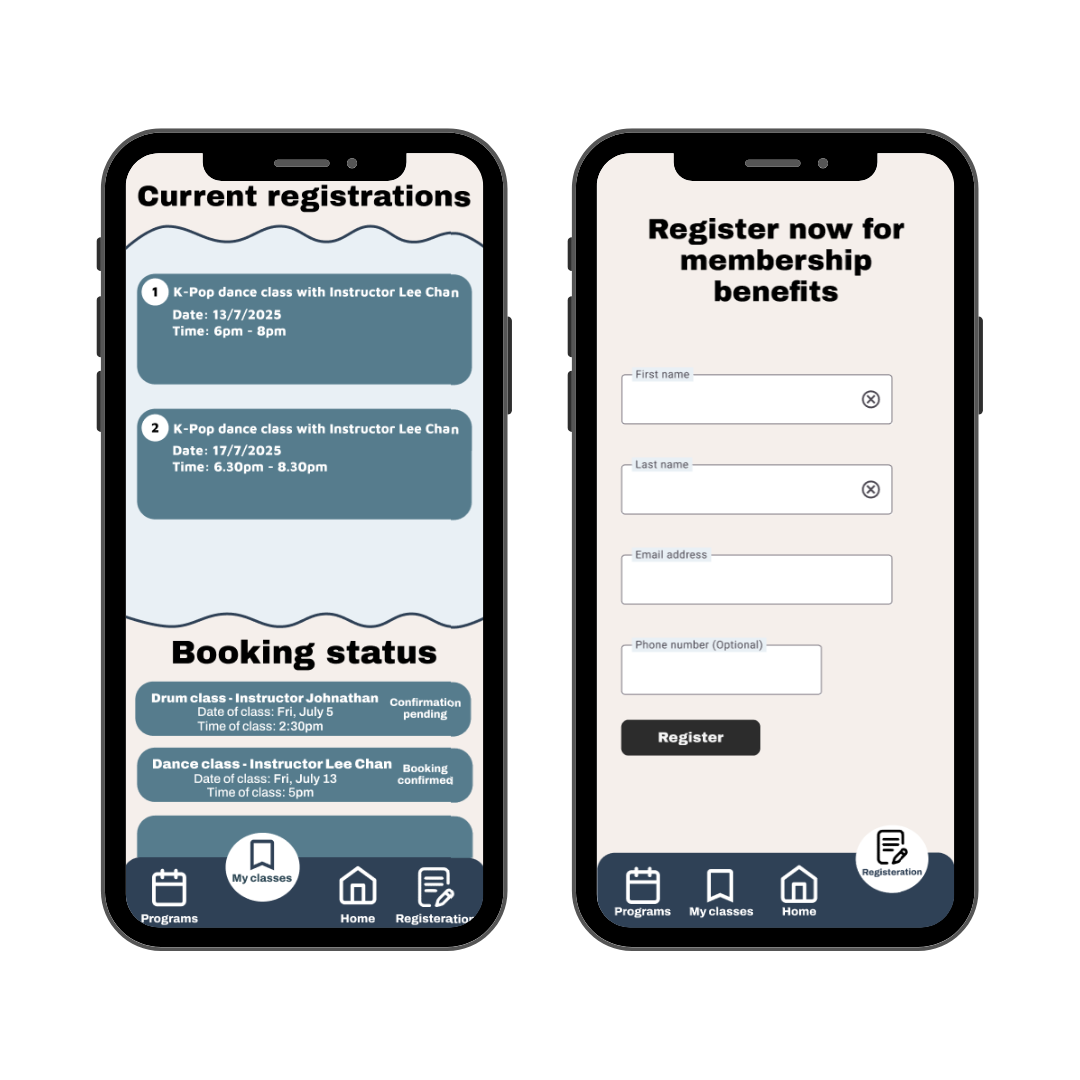
Content: The app features class listings (e.g., K-pop dance, drum, singing, and more), instructor details, schedules, booking confirmations, and membership registration. It also includes sections for discovering programs (Music, Art, Dance) and managing user classes (current/pending bookings).
Users: Young adults who are interested in enrichment programs. They seek easy class discovery, seamless registration, and clear scheduling (e.g., dates, instructors). The "My Classes" section suggests users track bookings and payment statuses.
Context of Use: Primarily mobile-based and for on-the-go browsing/registration. Users may check schedules before/after school/work, book last-minute slots ("Limited slots left"), or manage memberships. The "Settings under maintenance" note implies future scalability.
UI Design Principles
1. Fitts’s Law:
-Principle: The time to acquire a target (e.g., button) depends on its size and distance.
Application in wireframes:
-Large, prominent CTAs: "Book now!" buttons are sized and spaced for easy tapping.
-Repetition of key actions: "Back to home" appears consistently after bookings, reducing user effort.
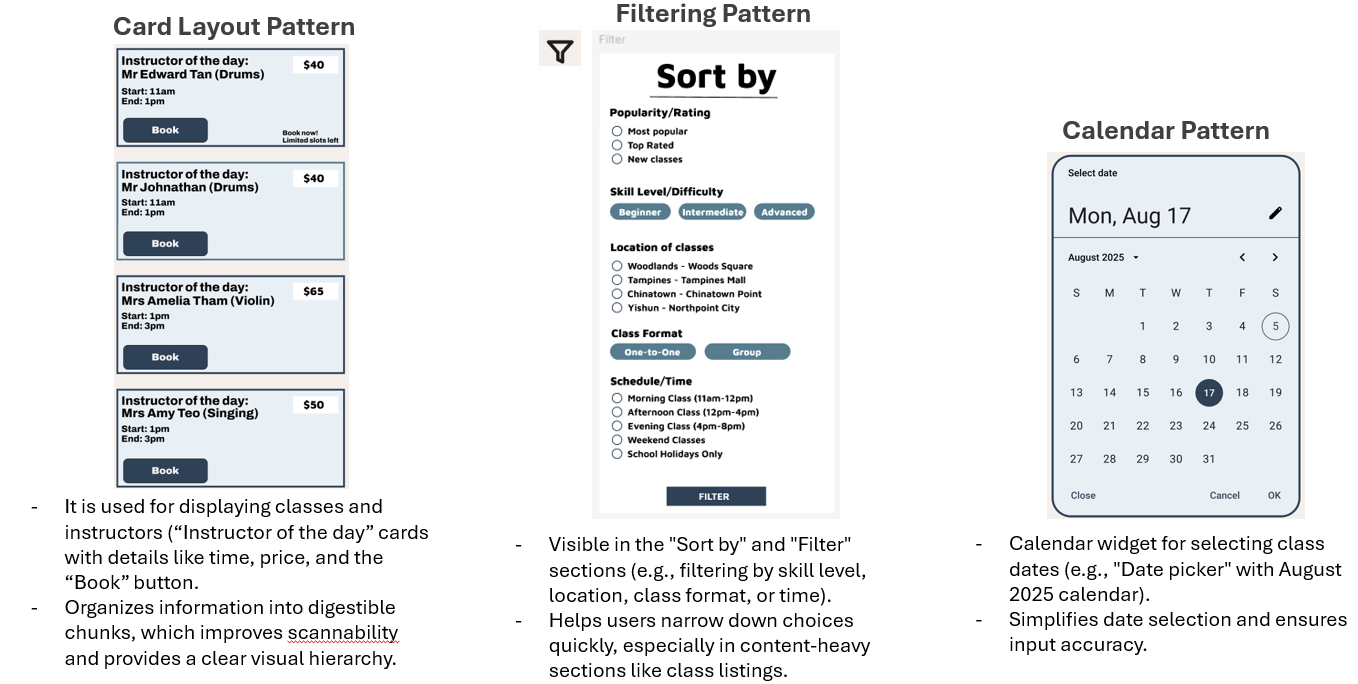
-Touch-friendly cards: Class listings such as “K-Pop Dance Class” are tap-friendly blocks.
2. Hierarchy & Prioritization:
-"Popular Classes" and "Instructor of the day" are emphasized
-Urgency cues like "Limited slots left“ and bold dates guide attention.
3. Feedback:
-Success messages like "Booking Successful!" confirm user actions, which enhances trust.
4. Clarity & Simplicity:
-Clean layouts with clear headings such as "Popular Classes," "Instructor of the day", consist of minimal text and intuitive icons (e.g., "Browse"). Status labels like “Booking confirmed" reduce ambiguity.